
A New Look with Light Mode, Your AI Daily Brief, Weekly Lessons, Event Blocks, and More
Everything Baseline shipped between October 6 and October 9, 2026. Baseline 15.0 brings a new look across the whole app with Light and Dark themes for your team and your client site, an AI daily or weekly brief with a Needs action list, and weekly lessons with coach approval. The lesson and rental booking pages are rebuilt, with 30, 60 and 90 minute rental blocks. Events gain Event Blocks and one start time for a whole series, the Programming calendar is rebuilt with drag and drop, and Settings search, multi-select dropdowns, message reports, duplicate suggestions and the Membership Builder all get an upgrade.
Our last update was Keyword Ideas, Citations, Build Events by Voice, a Settings Redesign, and More. This one covers October 6 to October 9, and it's our biggest release yet: Baseline 15.0. The whole app has a new look, with a Light or Dark theme for you and for your client site. A short AI brief now tells you what matters each morning, customers can book weekly lessons, and the lesson and rental booking pages are rebuilt from the ground up.
In this update
Highlights
A new look, in Light or Dark
Baseline feels lighter and calmer to work in. The admin portal, side nav, header, side panels, Settings, the Event Builder, the Membership Builder and popups all share one clean design, so every screen works the same way.
Dark stays the default, so nothing jumps out at your team on day one. Anyone who prefers a bright screen can switch off Dark mode under Settings, then Appearance. It only changes the look for that person. Admins also get a Client site dark mode switch on the same screen. It sets the theme your members and visitors see on your landing, booking, profile, event, membership and public calendar pages.
Your AI daily or weekly brief
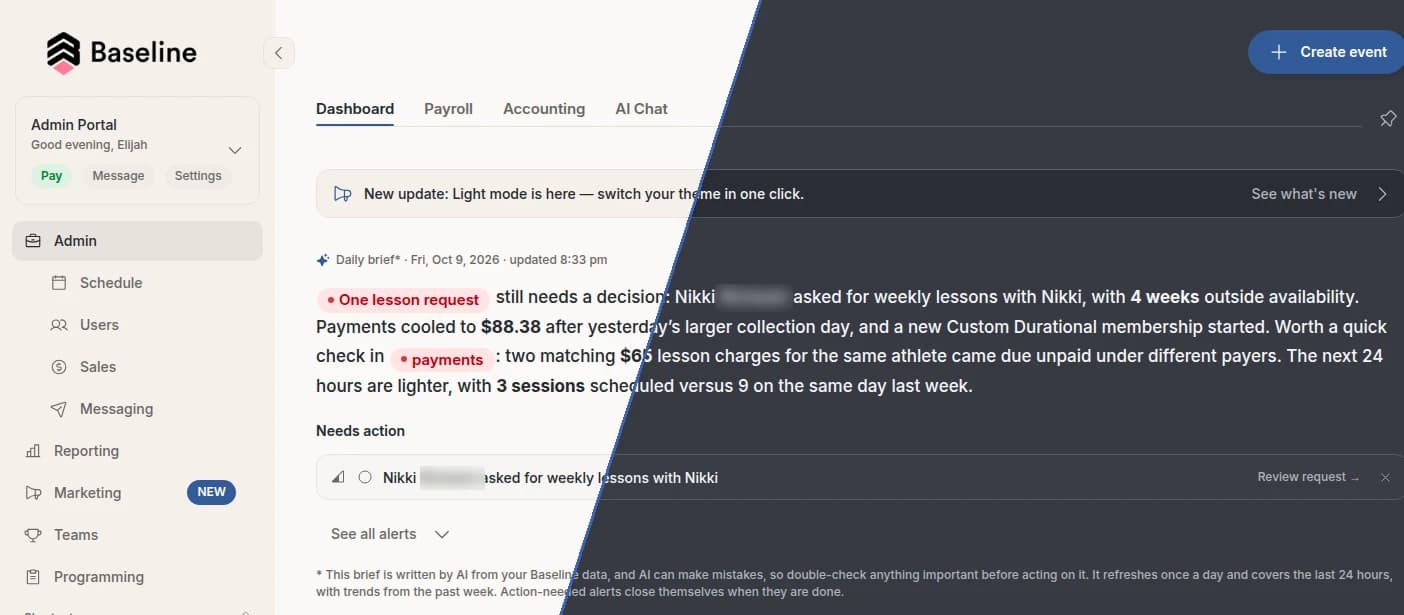
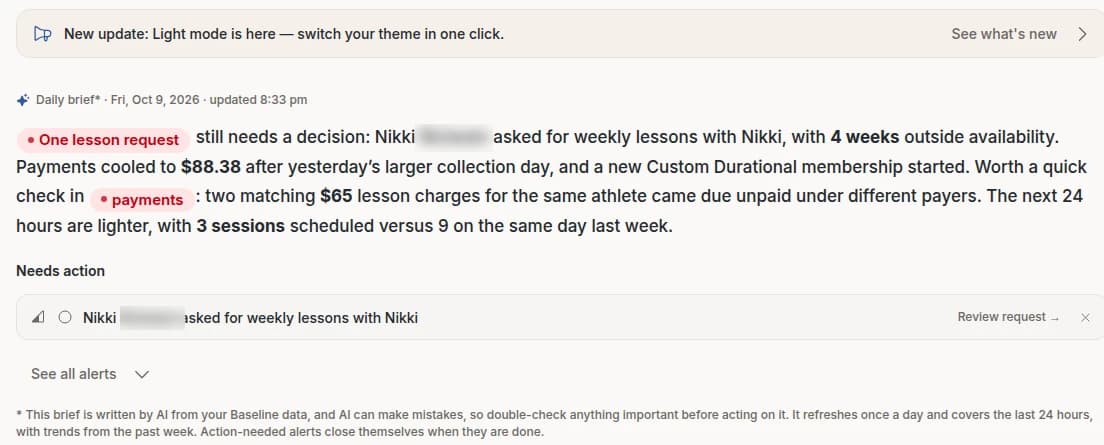
Know what needs you today without opening a single report. A short brief written by AI sits at the top of the admin dashboard. It sums up payments, checkouts, refunds, charges that came due and messages waiting on a reply, then gives you a heads-up on who's coming in. It also calls out birthdays, first visits, anniversaries with your facility and session milestones (10, 25, 50 and 100 by default, and you can change them).
Right under the brief, Needs action lists anything waiting on you: new disputes, cards that need updating, lesson requests, call messages and possible duplicate users. Each one has a one-click link to handle it, and it clears itself once it's done. You can also dismiss it.
Set it up under Settings, then Daily brief. Choose How often (Daily or Weekly) and tell the brief what to focus on. The same brief goes out by email around 6 am in your time zone, or on Monday mornings for the weekly recap, to staff with the daily email permission. It replaces the old Daily Report email.
Weekly lessons, with coach approval
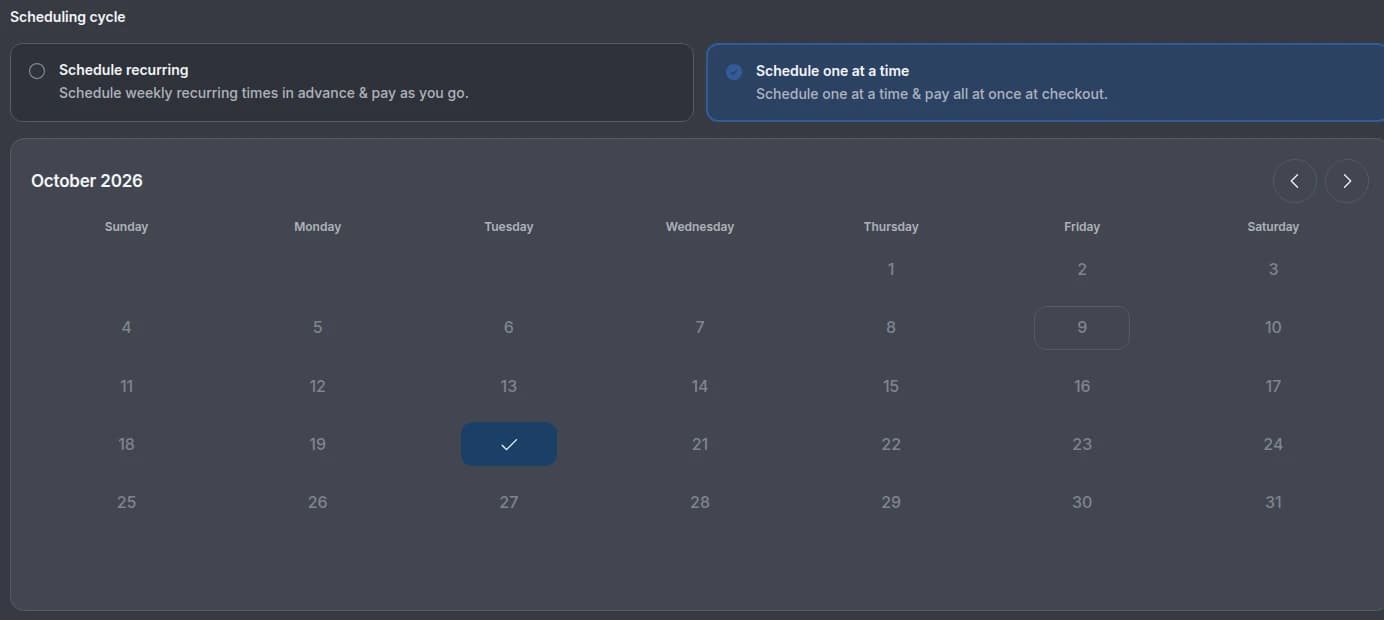
Lock in your regulars. Customers can now choose Schedule recurring on the lesson booking page to book the same time every week and pay as they go. If a week falls outside the coach's availability, the coach gets an email and approves or declines each of those weeks from one page. The customer then gets a single summary email instead of a pile of messages.
Weekly lessons are off until you turn them on under Settings, in Bookings & Scheduling, then Rules. That way facilities that sell recurring training as a membership keep full control.
Booking and events
New lesson and rental booking pages
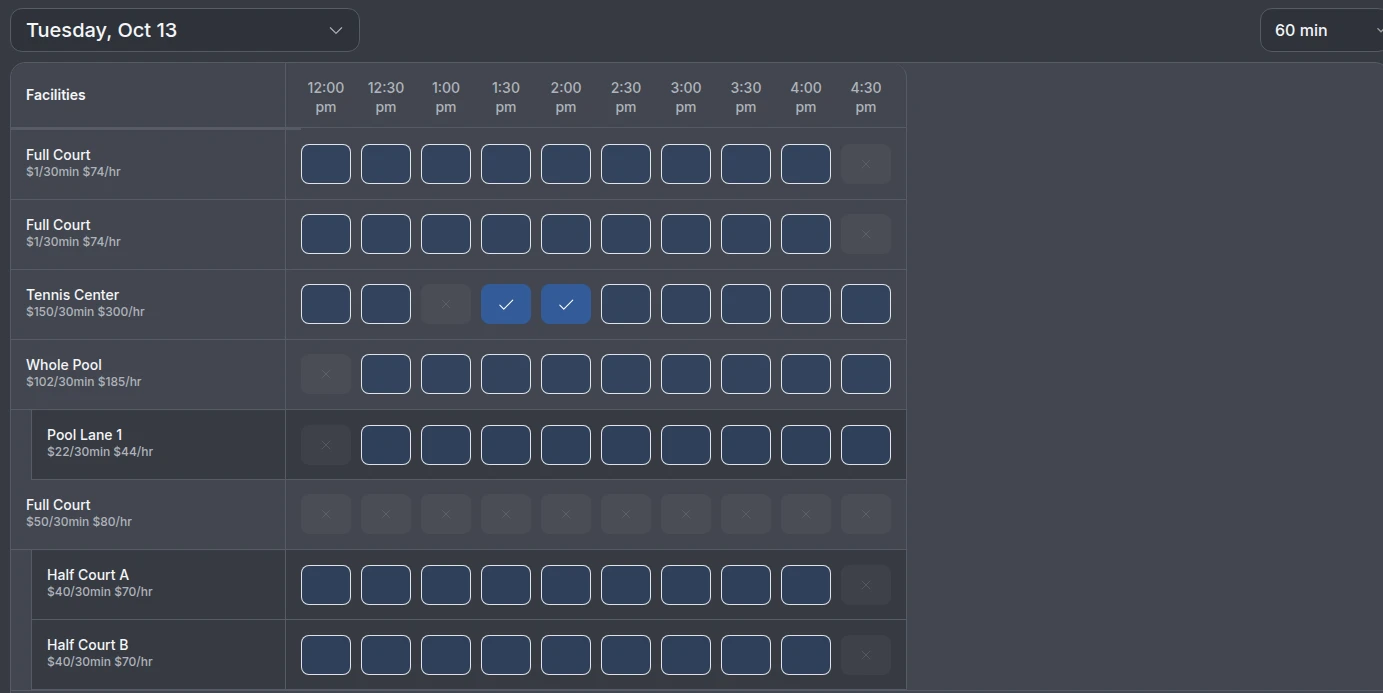
Both customer booking pages match the new design and are easier to use on a phone. Lesson booking has a cleaner lesson length bar, scheduling choices as cards and a month calendar where past dates can't be picked. On the rental page, open times have a blue outline, unavailable times fade to a faint box with a small ×, and picked times fill in blue with a check.
Rentals now work like lessons. Customers pick 30, 60 or 90 minutes first, then tap a start time, and the whole block books in one go. Only the lengths you offer show up, so you can sell a 90 minute block on its own. Start times that don't fit the full block are greyed out, and the price matches the rate you set for that length.
Event Blocks and one start time for a series
A single event can now hold several time blocks, each with its own time and features, while registration stays on the main event. It's a good fit for camps, clinics and tryouts that move between spaces during the day.
Building a series at the same time each week is one step again. In the Event Builder, pick your dates, then set a time under Start time in General info, and every event moves to that time while keeping its own date and length.
Also in booking and events:
- Lesson prices follow the trainer. Changing a lesson's trainer in the Event Builder recalculates the price. If a trainer has no price for that lesson length, the builder asks you to add one, and the booking page invites the customer to pick another trainer or length.
- Choose where the money goes. The Event Builder's pricing section has an optional “Where are we sending the funds?” question, so a facility and a club on one account can each get paid directly.
- Add free or Charge. When you add someone from the event side panel, you can now charge them on the spot through Instant Checkout.
- Bigger buttons on phones. Length pickers, calendar days and arrows are easier to tap, and iPhones no longer zoom in when you pick a length.
- Your terminology, everywhere. Whatever you call your staff reads naturally across booking, checkout, emails and texts: “Select a coach,” “3 coaches,” “Our coaches.”
Members and messaging
Duplicate suggestions and smoother merging
Baseline now flags people who look like duplicates and puts them in Needs action. One click opens a merge review in the side panel, and the merge brings bookings, refunds, waivers and family links over to the profile you keep.
See who's getting your emails and texts
The user side panel shows whether someone is subscribed to each type of email and whether they're receiving texts. If texts are paused, you'll see why and when: they replied STOP, the number is a landline, or the number isn't valid. When someone asks to hear from you again, Resume texts or resubscribe puts it back in one click.
A full report for every message
In Messaging, click any send to open its report: recipients, delivery, open and click rates, the message exactly as it went out, a 24 hour engagement chart and a step-by-step timeline for each recipient, plus CSV export. The Admin sent tab lists every message your team sent, and who sent it.
Also in members and messaging: each trainer's profile has a clear Show on Trainers & Booking pages switch, with a note on when you'd turn it off, like for an owner who doesn't coach.
Programming
A rebuilt Programming calendar
The Programming calendar loads a whole month at once and keeps itself up to date. Drag a workout to another day, or drag workouts and programs straight from the side panel, including on a tablet. Changes from other coaches show up within a second or two. Hover over a workout for its date, status, planned and actual time, tags and notes, and remove one workout or a whole week at once. The Workout page is redesigned to match, supersets included.
Settings and admin
Settings search that gets it on the first try
The AI search bar at the bottom of Settings is much faster and understands what you mean. Misspellings like “wiavers” or “daly breif” land in the right place, and so do everyday phrases like “how do I get paid” or “stop my coaches from seeing revenue.” Admins with limited access are only sent to sections they can see.
Pick several options at once
Multi-select dropdowns for trainers, features, teams, questions, filters and more now stay open while you pick. Each option has a checkbox, and the bottom of the list shows how many you've selected, with Clear and Done. Single-select dropdowns match, with a search box on long lists.
A Membership Builder you can customize
Like the event and team builders, the Membership Builder has a Customize button. Switch on only the sections you use, and every admin on your account sees the same setup. Each section explains in plain words what it does. A membership that already uses a section always shows it when you edit it.
Also in Settings and admin:
- Search bars on the Memberships, Enrollments, Event packages and Articles lists.
- Schedule grid column widths (Standard, Wide or Extra wide) and a trainers sidebar you can hide, saved for each admin.
- A new Site Editor for custom landing pages, with autosave and Publish.
- The Users, Sales and Memberships dashboard charts load faster.
Polish and reliability
We also smoothed out a handful of smaller things across the app.
- Checkout and receipts. Instant Checkout lists your event and feature categories as subcategories and fills in the category for an existing lesson or event. Downloaded and re-sent receipts show the date of each event, which is handy for HSA claims.
- Rentals. Custom rental names carry through everywhere, including when you rename rentals in the Event Builder. The “Included with your membership” badge sits neatly next to the date and length pickers.
- Multiple locations. Closing one location for a day only affects Trainer Hours at that location.
- Settings. Settings reopens on the section you were last in, and it opens cleanly alongside the AI Assistant.
- Checkout on long pages. Rental and event checkout always open at the top, even after scrolling down the page.
- Sign-up. A birthday given during registration fills in the new member's profile, so they can join age-based events right away.
Want help putting this to work?
Everything above is live in your account now. If you only have time for a few things, start with these.
- Open Settings, then Daily brief, choose Daily or Weekly, and add the milestones you want to celebrate.
- Under Settings, then Appearance, pick your own theme and the one your members see on your client site.
- If your coaches have regulars, turn on weekly lessons under Bookings & Scheduling, then Rules, and check which rental lengths you offer.
If you'd like a walkthrough of the new look, reach out to your account manager or Baseline support through the help widget in the bottom right corner. Not on Baseline yet? See how scheduling and booking fit into the rest of the platform, or book a demo.
Less clicking. More coaching.
Baseline is the all-in-one operating system for sports facilities, clubs, and travel teams — scheduling, payments, programming, and team management in one platform.
Keep reading
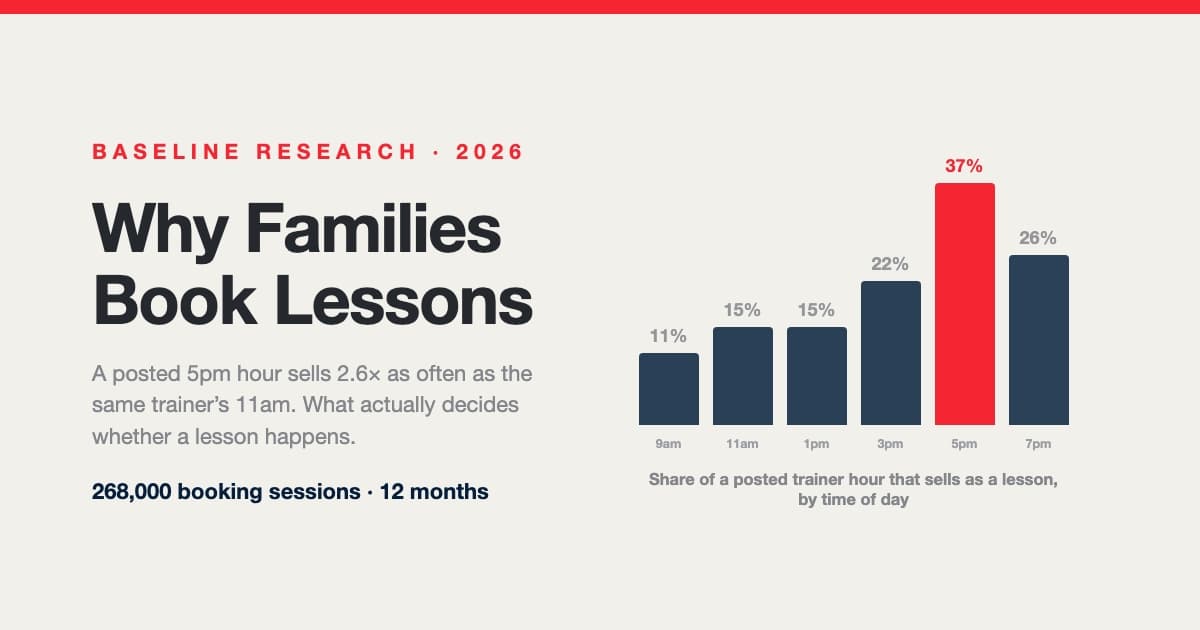
Why Families Book Lessons — and Why They Don't: A Year Inside 268,000 Booking Sessions
A posted 5pm hour sells nearly three times as often as the same trainer's 11am. Across 268,000 booking sessions, 29,812 families and 107,000 posted trainer shifts, what decides whether a lesson happens isn't price, sport or lesson length — it's which hours are on the calendar and how late families go looking. Including a measured answer to the question every operator asks: do 15-minute intervals actually win you bookings?

What Successful New Sports Facilities Do Differently
A data-backed operator playbook from Baseline cohort research: the four operational levers that move the needle in a facility's first year — and the four things you can stop worrying about.
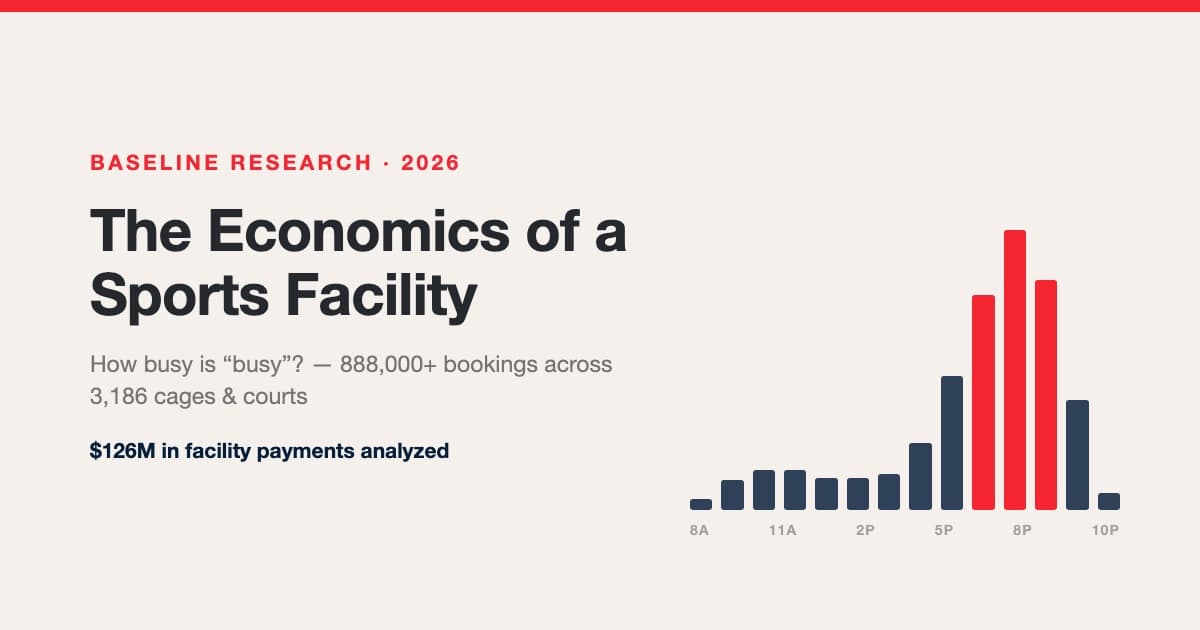
The Economics of a Sports Facility: How Busy Is Busy, What a Space-Hour Is Worth, and How the Packed Facilities Got That Way
We analyzed 888,000+ bookings, 863k space-hours, and $126M in payments across hundreds of sports facilities. Real utilization benchmarks (facilities are spiky, not empty — 2 in 3 sell out prime hours while averaging ~19% occupancy), rentals vs lessons vs group economics, the true lesson margin after trainer splits, credit-pack accounting, seasonality by category, and the occupancy ladder from quiet to packed.